SAP to Salesforce integration
In 5 simple steps, your company can use Aragorn.ai to automate integration from SAP to Salesforce


Integration Outcomes
Aragorn empowers you, putting the reins of integration firmly in your hands. Whether you're defining your data source or setting the rhythm for data syncs, the platform molds around your needs. With Aragorn, they transform into smooth, streamlined processes, ensuring that even the most stringent vendor specifications are met with finesse.
With capabilities like streaming limitless HR fields, conducting vigilant health checks in real-time, and offering an interface that feels second nature, Aragorn redefines what it means to integrate. It's not just about connecting systems; it's about orchestrating a symphony of data.
In a landscape punctuated by alarming headlines of data breaches and looming privacy concerns, Aragorn is on your side. Every byte of data processed is treated like royalty, safeguarded with unwavering commitment, and ensuring compliance is maintained.
Aragorn heralds a no-code era, ensuring that the power of integration isn’t limited by technical expertise. Every HR professional, regardless of their tech background, can seamlessly craft integrations that resonate with their vision.
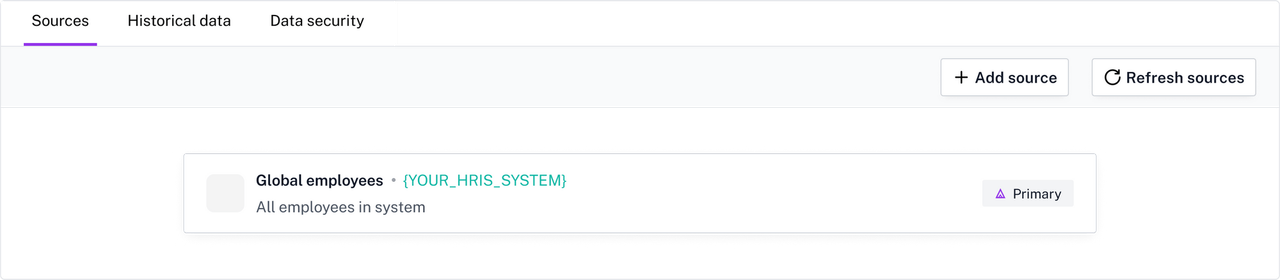
1. Connect to SAP as a source
Aragorn has supports all data sources ranging from HRIS to SFTP files, and any other system (off and on premise)
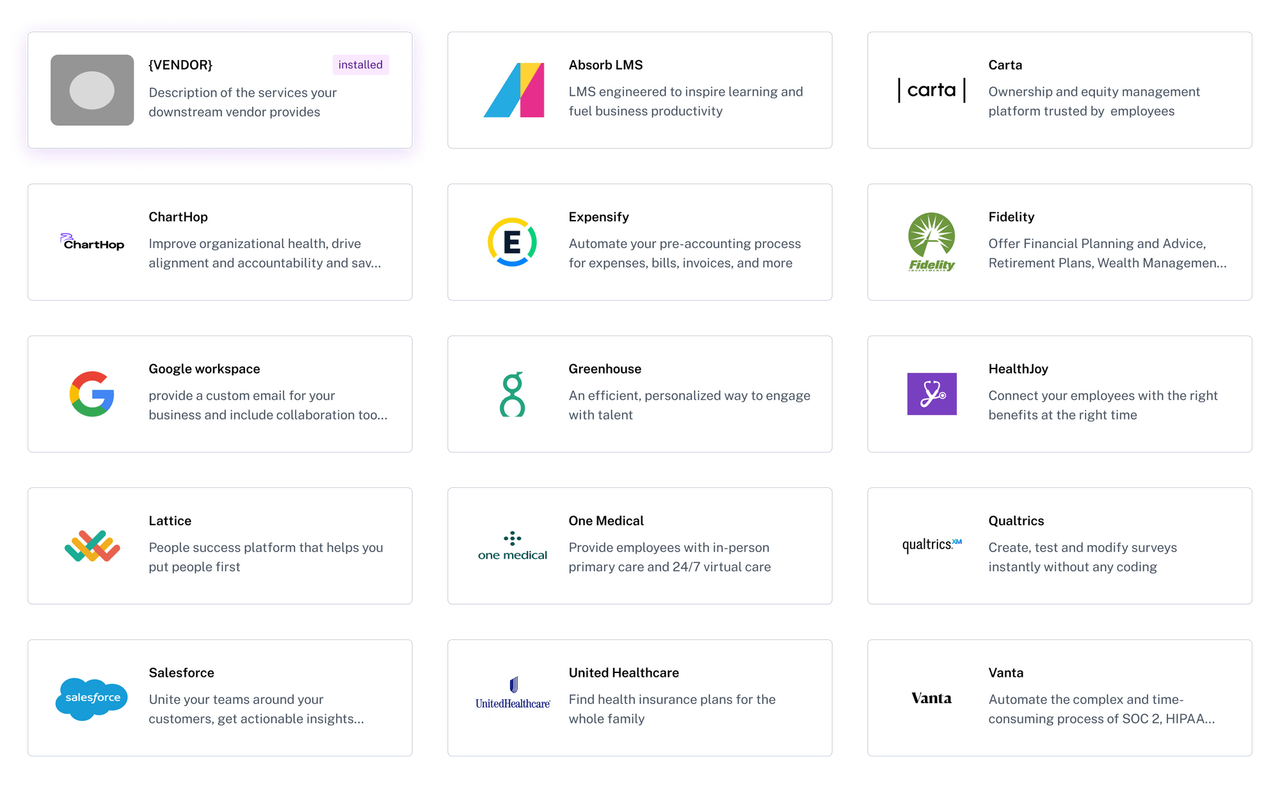
2. Install Salesforce from our cloud marketplace
Aragorn has partnered with numerous vendors where we have pre-configured vendor specifications and validations. Therefore your HRIS data will be automatically validated and adapted to the vendor's specification. Saving you the time and cost of manually configuring your data to be compatible and valid
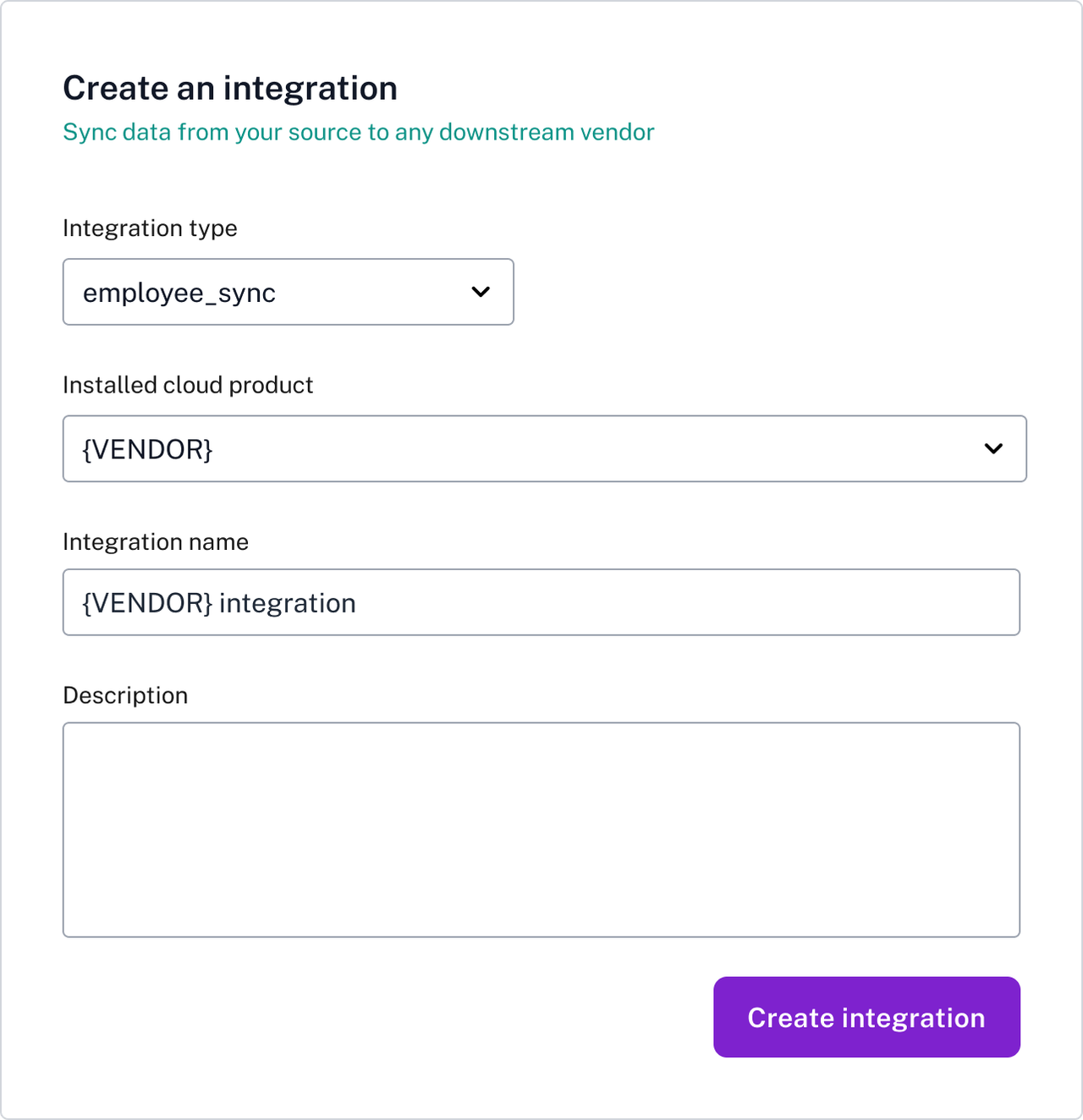
3. Create an integration to Salesforce
Indicate your HRIS source from which to sync demographic, election, deduction, or any employee related data
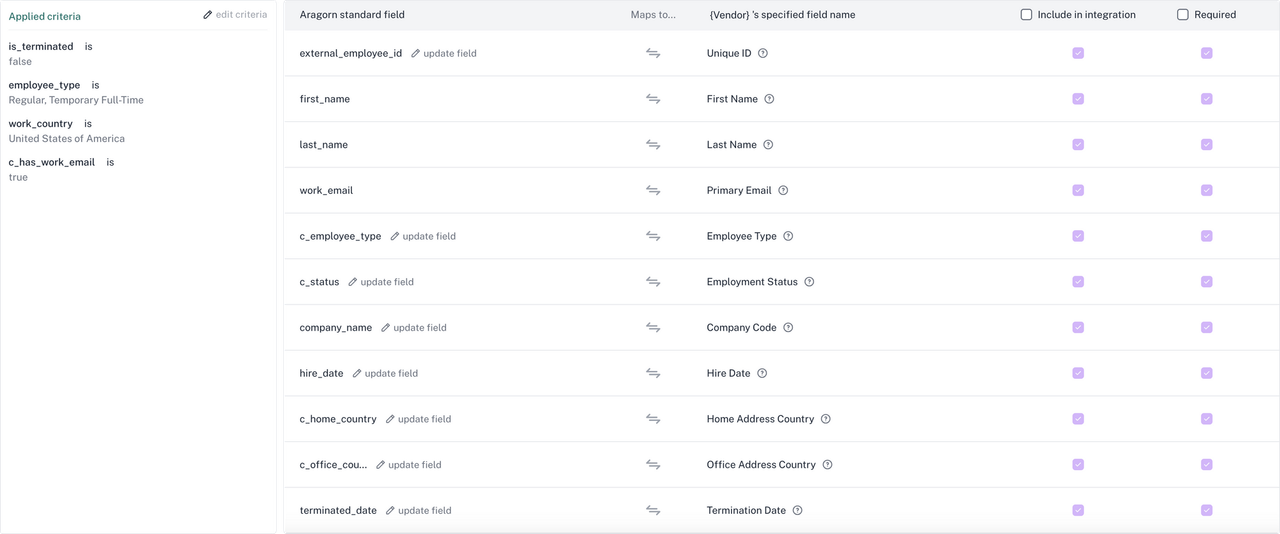
4. Specify the eligibility and see your data automatically mapped
Specify which employees are eligible to be sent to the downstream system. It can be all active employees, or US employees only, or any criteria specific to your organization
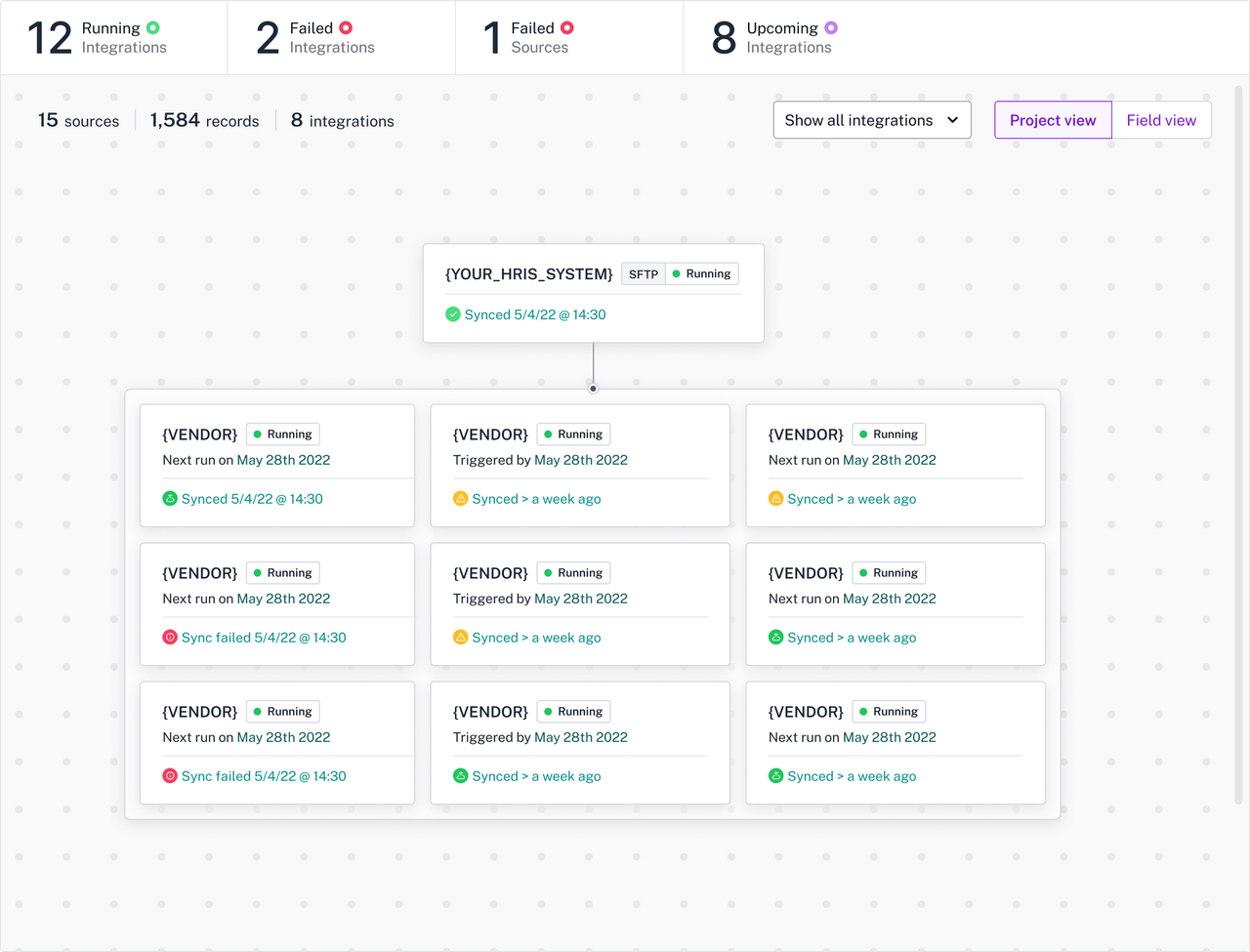
5. Test and run your integration with a click
Run the integration in test mode to ensure it passes the vendor/app's validation and view the data that will be transmitted before it is eventually sent. After a successful test run, you can set the integration to start running and be confident that there are no errors or missing data in the data that will be synced
Technical Documentation
Join our exclusive Aragorn Slack community and collaborate with HR/People Ops leaders, HRIS managers, directors, and VPs to learn about ways to revolutionize your HR data integrations.
Social Proof Metrics
Annual ROI at Mission North
Hours in Annual ROI at Mission North
Annual ROI at Plaid
Hours in Annual ROI at Plaid
Let's get started
Talk with our experts to start your website transformation.
Get Started
Loading...